The book
Ubuntu System Administration Guide
Ubuntu Desktop, Server, security, and DevOps automation
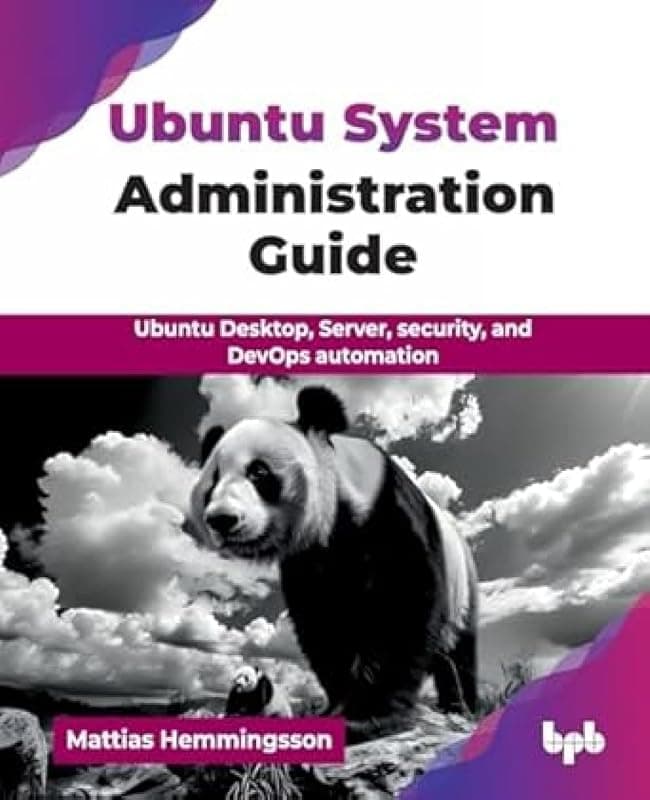
ISBN 9789365895124
A hands-on guide to Ubuntu, from the first install on a laptop to a Kubernetes cluster on your own servers. It's the book I wish I'd had when I started running Linux for real: every chapter is something you set up and use, not theory.
It starts on the desktop with installing, a tiling window manager, networks, VPN and a firewall. Then it moves to servers: virtualization, containers, monitoring, firewalls and VPN servers, web apps and Kubernetes. It ends with automation, Bash, Ansible and a CI/CD pipeline that builds, pushes and deploys your services.
What's inside
Many of the chapters live on as posts on this blog: 91 of them so far. Open a chapter to read them for free, then get the book for the whole story in one place.
- 1
Getting familiar with the Ubuntu ecosystem
What Ubuntu is, how packages and the file system work, and the command-line tools you will use every day.
- 2
Install, upgrade and configure Ubuntu Desktop
From a USB stick to a running desktop, including dual-boot with Windows, installing software, and upgrading between LTS releases.
- 3
Environments and window managers
Set up the i3 tiling window manager and a desktop that is built for work and development.
6 posts on the blog
- Transform Your Ubuntu Desktop: An Introduction to the i3 Tiling Window Manager
- Master Your Workflow: Essential Keyboard Shortcuts for the i3 Window Manager
- Personalize Your i3 Environment: Custom Backgrounds, Lock Screens, and More
- Setting Up Your Ubuntu Workstation: Essential Tools for Productivity
- A Developer’s Guide to Ubuntu: Using Git, SSH, and VS Code
- Beyond the Basics: Streaming and Recording on Ubuntu with VLC and OBS Studio
- 4
Setting up firewall, VPN and WiFi networks
DHCP and static addresses, VLANs and WiFi, MAC address changes, VPN, DNS protection, a firewall and virus scanning.
7 posts on the blog
- Networking on Ubuntu: Understanding Static IP vs. DHCP
- Creating Virtual Network Interfaces and VLANs in Ubuntu
- Enhance Your Privacy: How to Randomize Your MAC Address on Ubuntu
- Secure Your Connection: Setting Up a VPN on Ubuntu
- Encrypt Your DNS: A Simple Step to Boost Your Online Privacy
- Lock It Down: Creating a Basic Firewall with Iptables on Ubuntu
- Protect Your System: How to Scan for Viruses on Ubuntu with ClamAV
- 5
Preparing a virtualization environment
KVM on the desktop: bridges and NAT networks, your first VM, snapshots, hardware passthrough, Vagrant boxes and image conversion.
6 posts on the blog
- Getting Started with Virtualization on Ubuntu Using KVM
- How to Create and Run Your First Ubuntu VM with KVM
- Connecting Your Virtual Machines: Understanding KVM Networking
- The Power of Snapshots: Save and Restore Your VM State in KVM
- Beyond KVM: An Introduction to Vagrant for Reproducible Environments
- From One to Another: How to Convert Virtual Machine Disk Images
- 6
Up and running with Kubernetes and Docker
Docker and Docker Compose for local development, connecting stacks together, and a first look at Kubernetes.
6 posts on the blog
- What Are Containers? Understanding Docker on Ubuntu
- Running Your First Docker Container: A Minecraft Server in Minutes
- Simplify Your Workflow with Docker Compose
- Running Node.js Applications with Docker and MongoDB
- Developing Locally with Docker: A Guide to Live Code Reloading
- An Introduction to Kubernetes on Your Ubuntu Desktop with Minikube
- 7
Install Ubuntu Server on metal, cloud and network
Cattle, not pets: SSH keys, installing from USB, in a VM, on Google Cloud and Hetzner, and many servers at once.
6 posts on the blog
- Cattle vs. Pets: A Modern Approach to Server Management
- Mastering Remote Access: How to Use SSH Keys with Your Ubuntu Server
- A Guide to Installing Ubuntu Server from a USB Drive
- Creating an Ubuntu Server VM Entirely from the Command Line
- Deploying Ubuntu Server in the Cloud: A Look at Hetzner and Google Cloud
- Automating Server Deployment at Scale with MAAS
- 8
Keeping a check on your Ubuntu Server
Monitoring commands, Cockpit, monitoring at scale, collecting logs in one place, and spotting an intrusion.
7 posts on the blog
- Essential Commands for Monitoring Your Ubuntu Server
- Introducing Cockpit: A Web-Based Dashboard for Your Ubuntu Server
- Monitoring Your Ubuntu Server: A Complete Guide
- Centralized Logging with the Elastic Stack (Filebeat, Elasticsearch, Kibana)
- Advanced Security with a Host-Based Intrusion Detection System (HIDS)
- Integrating OSSEC Security Alerts into Your Elastic Stack
- Protect Your Server from Brute-Force Attacks with Fail2ban
- 9
Setting up advanced network, firewall and VPN servers
Ubuntu as your main firewall, with DHCP and DNS for your clients, secure communication, and VPN troubleshooting.
9 posts on the blog
- Turn Your Ubuntu Server into a Powerful Firewall with Iptables
- A Beginner’s Guide to Iptables for Network Routing
- Setting Up a DHCP and DNS Server with Dnsmasq on Ubuntu
- How to Configure Dnsmasq for Your Local Network
- Building Your Own Private Network with an OpenVPN Server
- A Step-by-Step Guide to Creating OpenVPN Certificates with Easy-RSA
- Introducing WireGuard: The Modern, Fast, and Simple VPN
- How to Configure a WireGuard VPN Server and Client
- Troubleshooting Your VPN Connection: Common Issues and Fixes
- 10
Running a virtualization server environment
KVM on a server, managed from the desktop, the web and virsh. Then Podman containers, monitored with Prometheus, Grafana and Loki.
13 posts on the blog
- Turn Your Ubuntu Server into a Virtualization Host with KVM
- Remote Management of Your KVM Host: GUI and Web Interfaces
- Managing VMs with virsh: The Ultimate Command-Line Tool
- Cloning Your Servers: How to Easily Duplicate VMs in KVM
- Beyond Standard Ubuntu: A Look at Dedicated Virtualization Platforms
- An Introduction to Podman: The Daemonless Container Engine
- Building a Monitoring Stack with Podman Compose
- Monitoring at Scale: The Grafana, Prometheus, and Node Exporter Stack
- A Step-by-Step Guide to Installing Prometheus and Node Exporter
- Visualizing Your Data: Connecting Grafana to Prometheus
- Adding Centralized Logging with Loki and Promtail to Your Container Stack
- Configuring Promtail to Collect Systemd Journal Logs
- Monitoring a Fleet of Servers with a Containerized Client
- 11
Set up web servers and deploy web apps
Web servers, databases, deploying web applications, and making them fast.
9 posts on the blog
- Choosing Your Web Server: A Guide to Apache and Nginx on Ubuntu
- How to Host Your First Simple Web Page with Apache on Ubuntu
- Hosting Multiple Websites on One Server with Apache Virtual Hosts
- Choosing Your Database: An Introduction to SQL vs. Document Databases
- Getting Started with MariaDB (MySQL) on Ubuntu Server
- How to Install and Use MongoDB, a Leading NoSQL Database
- Essential Database Maintenance: Backing Up MariaDB and MongoDB
- Deploying Your First PHP Application: A WordPress Installation Guide
- Optimizing Web Server Performance: KeepAlive and Compression
- 12
Kubernetes: run and set up
Install Kubernetes on your own Ubuntu servers, deploy the base services, and run WordPress on it.
11 posts on the blog
- Building Your Own Kubernetes Cluster on Ubuntu Servers
- Preparing Your Ubuntu Nodes for a Kubeadm Installation
- Initializing Your Kubernetes Cluster with kubeadm init
- Adding a CNI Plugin: Enabling Pod-to-Pod Communication in Kubernetes
- Introducing Helm: The Package Manager for Kubernetes
- Adding Persistent Storage to Kubernetes with OpenEBS Hostpath
- Exposing Your Services: Kubernetes Ingress with Traefik and MetalLB
- How to Access Kubernetes Secrets: A Grafana Password Example
- Deploying a WordPress Site on Your Custom Kubernetes Cluster
- Deploying a WordPress Blog on Kubernetes
- Essential kubectl Commands for Managing Your Kubernetes Cluster
- 13
Task automation, CI/CD pipelines and service deployment
Bash, Ansible, and a pipeline that builds and pushes Docker images, then deploys them to Kubernetes with Terraform.
6 posts on the blog
- Automating Server Setup with Basic Bash Scripts
- A Powerful Technique: Modifying a Host System from Within a Docker Container
- CI/CD Pipeline Step 1: Building and Pushing a Docker Image
- The Core Terraform Workflow: Init, Plan, and Apply
- CI/CD Pipeline Step 2: Deploying to Kubernetes with Terraform
- Putting It All Together: The Building Blocks of a CI/CD Pipeline